Teaching virtual and machine-based CNC milling in the classroom
Watch the CNC Trainer video now!
Function and Applications
Whether for precision manufacturing or customized, three-dimensional design, computer-aided milling is rapidly gaining importance in numerous professional and technical applications. In school education, it is therefore crucial to familiarize learners with this digital manufacturing technology at an early stage, thus preparing them ideally for their professional future.
The CNC Trainer opens up exciting new possibilities for your teaching concepts in the subjects of crafts, art, and STEM (science, technology, engineering, and mathematics), as well as in vocational training. As part of the complete work process, the digital twin of the milling machine makes it possible to plan, check, and evaluate workpieces virtually in advance—even before material is used in actual production. This promotes a more sustainable use of resources. Operation that has been simplified specifically for teaching purposes also offers increased safety for use in younger school classes.
Model of the complete work process
Modern vocational training today teaches complex work and manufacturing processes in six simple steps:
- Provide information about the project requirements
- Plan an implementation strategy
- Decide on an approach
- Carry out the work steps
- Check that the work has been carried out correctly
- Evaluate with regard to improvements
Digital twin
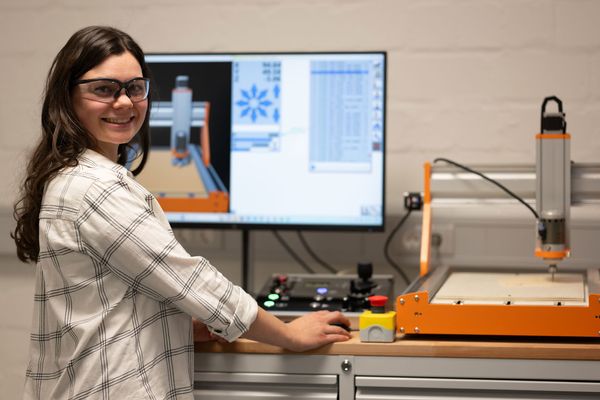
The digital twin is a precise virtual model of the CNC milling machine that allows the work to be simulated digitally in advance. This allows errors to be detected and optimized at an early stage before actual production begins.
Versatile control panel
The CNC Trainer control panel is the interface between the CAD/CAM program, the digital twin, and the CNC milling machine. It enables the virtual or real milling process to be started and stopped, the axes to be moved manually using a joystick and rotary wheel, and the spindle motor to be configured. The integrated display provides an overview of the current coordinates of the milling head as well as its current feed rate and spindle speed. The milling process can be stopped immediately and safely at any time using the emergency stop switch.
Benefits
- Virtual planning and control for precise milling results
- Particularly simple and safe operation
- Sustainable use of materials
Equipment and Technical Data
- Innovative control panel for controlling and monitoring the virtual and real milling process
- Realistic digital twin with versatile setting options and variable camera positions
- Modular and easy-to-understand learning courses
- Easy connection to the computer via USB interface
- Standard support for the Stepcraft D.420 CNC milling machine (not included in the scope of delivery, connection of other CNC milling machines on request)
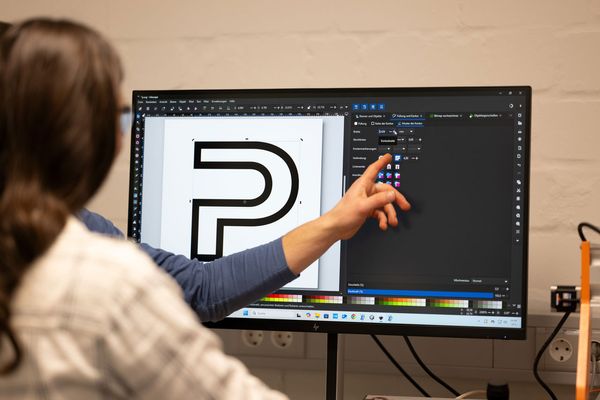
- Support for Estlcam software for CAM and CNC control
- System requirements: Windows 10/11, 64-bit CPU with 2 GHz, 4 GB RAM, screen resolution 1280 x 720 pixels
Scope of Delivery
- Control panel
- Digital twin of the Stepcraft D.420 CNC milling machine as a download link
- Trial version of Estlcam 2D, 2.5D & 3D CAM software as a download link
- Learning courses on the curricuLAB learning platform as a link
 Service